Connecting Your Smartphone Seamlessly in the 2026 Mazda CX-5’s Redesigned Cabin
August 31 2026,
Jumping into a new SUV and wondering if your phone will just work with it is a fair question. The 2026 CX-5 was built with exactly that concern in mind, and the redesigned cabin makes phone pairing and daily use noticeably less fiddly for Alberta drivers.
What The Connectivity Setup Actually Is
The 2026 CX-5’s connectivity isn’t a bolt-on gadget list. It’s part of a full cabin redesign built around Google built-in technology, a redesigned steering wheel layout, and a Mazda Connect infotainment system that behaves like a smartphone. Apple CarPlay and Android Auto come standard across the CX-5 lineup, so mirroring your phone is included no matter which trim you choose.
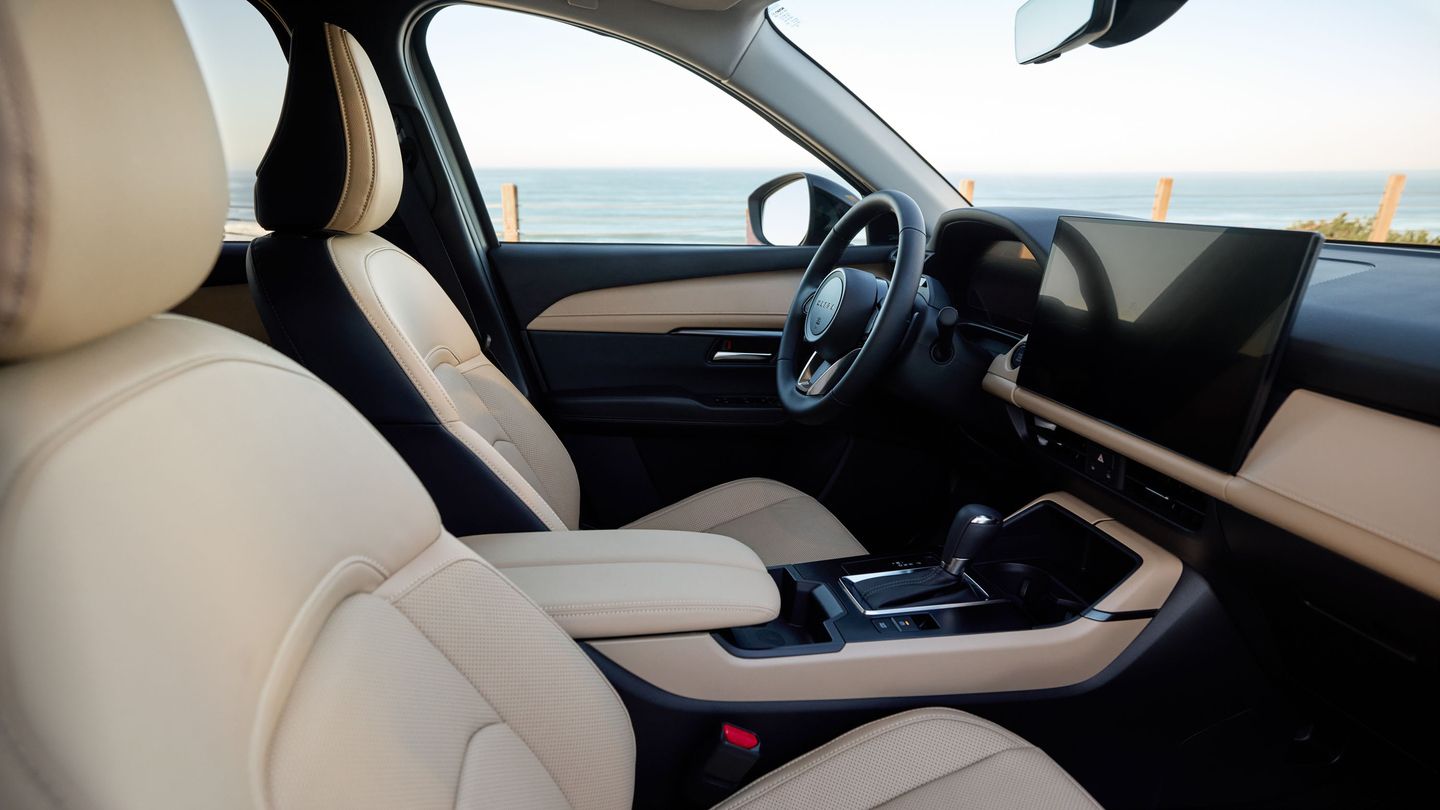
The centre touchscreen runs 12.9 inches on the GX and GS, and steps up to a 15.6-inch display, Mazda’s largest ever, on the GT Premium. Every CX-5 also gets a 10.25-inch digital instrument cluster in front of the driver, and an available head-up display that’s 122 percent larger than before projects navigation and traffic-sign info onto the windshield.
How Pairing And Daily Use Work
On the GX, Apple CarPlay and Android Auto connect over a wired USB connection, alongside Google built-in’s own navigation and voice assistant. Move up to the GS and Android Auto and Apple CarPlay run wirelessly, and the GS adds Qi wireless phone charging, so there’s no cable at all for compatible phones.
That wireless-versus-wired distinction matters day to day. On the GX, plug in once and CarPlay or Android Auto takes over the screen. On the GS and GT, the phone connects automatically as soon as you’re in range, which removes the cable step entirely for anyone hopping in for a quick errand.
Mirroring and Mazda’s own Google built-in features live side by side rather than competing. Google Maps, Google Play, and the Gemini voice assistant run natively through the vehicle’s own connection, while CarPlay or Android Auto still handles your phone’s own apps and messages when you’d rather use those instead.
The steering wheel itself was redesigned to reduce menu-diving. The left side handles infotainment functions like volume and source selection, while the right side covers driving-related functions such as drive-mode selection. Commonly used controls, including climate, are docked at the bottom of the touchscreen for quicker reach without hunting through menus.
|
Trim |
Touchscreen |
|
GX |
12.9 in |
|
GS |
12.9 in |
|
GT |
15.6 in (available) |
Why Voice Control Matters On Alberta Roads

Gemini, Google’s AI assistant integrated into the CX-5, lets a driver speak naturally rather than memorize commands. That’s the difference between fumbling with a phone at a red light on Deerfoot Trail and simply asking the car to send a text or change the temperature.
Voice input covers calls, messages, music, navigation, and climate adjustments, all without taking a hand off the wheel. In heavy commuter traffic or on slick winter roads, that means fewer glances down and fewer steps between wanting something done and it happening on screen.
The system also supports follow-up questions instead of rigid phrasing, so a driver can ask for directions, then immediately ask to lower the temperature, without starting over. For a family doing school runs or a commuter dealing with unpredictable Alberta traffic, that shortens every interaction that used to take a glance and a tap.
Who Gets The Most Out Of This Setup
Commuters who already rely on their phone for navigation and calls will notice the shift toward wireless CarPlay and Android Auto on the GS and GT immediately, since there’s nothing to plug in before pulling out of the driveway.
Families benefit from the USB layout, four ports on the GT versus two on the GX, spread so rear passengers aren’t reaching over the front seats to charge a tablet on a long drive. Drivers who switch between a work phone and a personal phone will also find the wireless pairing on GS and GT trims cuts the friction of re-plugging every time a device changes.
Anyone who’s used a smartphone-style interface before will find the CX-5’s touchscreen familiar almost immediately, since it supports the same pinch-to-zoom and swipe gestures most phones already use.
Setting Up Your Phone In The CX-5
First-time pairing on the GX starts with a USB cable; on GS and GT trims, Bluetooth and wireless CarPlay or Android Auto typically connect automatically once your phone’s settings allow it. Bluetooth handles hands-free calling and audio even when you’re not actively mirroring a phone.
Mirroring and Mazda’s native Google built-in functions aren’t the same thing: mirroring projects your phone’s own apps onto the screen, while Google built-in runs its own navigation, voice assistant, and app store directly through the vehicle’s connection, independent of what’s on your phone.
Visit Sunridge Mazda To See It In Person
The 2026 CX-5’s connectivity setup ties directly into its broader interior redesign, aimed at keeping a driver’s attention forward instead of buried in menus. Wired or wireless mirroring, Google built-in, and voice control are built to work together rather than as separate add-ons.
Visit Sunridge Mazda in Calgary to see the touchscreen layout, try pairing your own phone, and test the voice controls firsthand before you decide which CX-5 trim fits how you actually use your phone.